Raid: Shadow Legends · Offline Assistant

PyAutoRaid

See your real Clan Boss fight
before you spend a key.

What it does

Forged for the fight

A complete offline assistant that runs your battles, simulates them without spending resources, and optimizes what you take in.

Marquee feature

Key-free Clan Boss simulation

PyAutoRaid runs the game's real battle engine to play out your Clan Boss fight offline — turn by turn, hit by hit — without spending a single key.

Test a tune, a re-gear, or a new champion and watch exactly how the fight unfolds before it costs you anything.

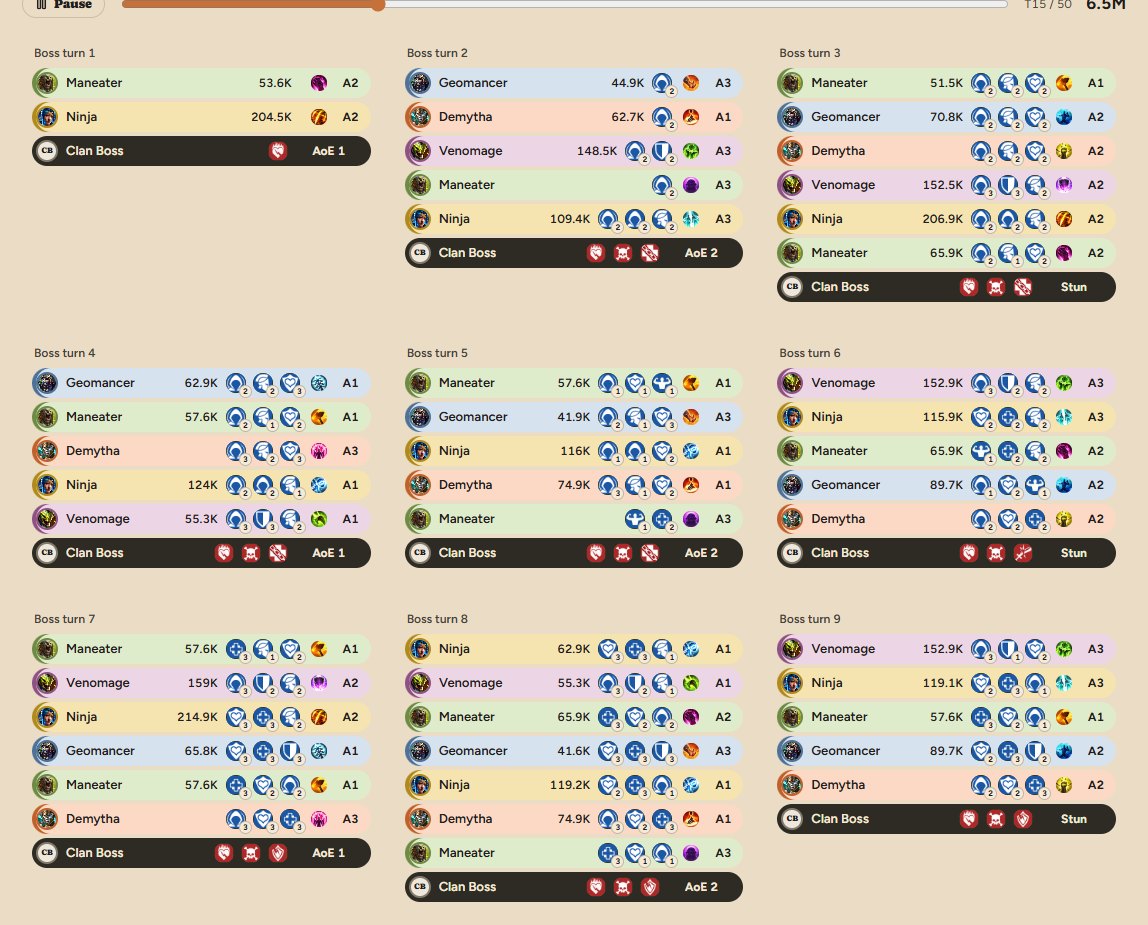
The Clan Boss sim's turn-by-turn board: nine boss turns, each listing
                      the champions who acted, the damage they dealt, their buffs and debuffs
                      with stack counts, the skill used, and the boss's own AoE or Stun.
The fight as PyAutoRaid plays it out — every champion's turn, the damage, the buffs and debuffs with their stacks, and what the boss did back. Nine of fifty turns shown.

Team & gear optimizer

Assign artifacts to hit location-specific stat targets — ACC floors, speed tunes, crit and damage caps — and get a clean diff of only the swaps that improve your team.

Battle history

Every fight is logged in full — per-turn turn meter, buffs, debuffs, per-hit damage. Review any run, compare tunes over time, and calibrate against reality.

Automation — optional

Run a location a set number of times, or let daily runs fire on their own timers while you are away. Every automated action goes through the mod API — never screen automation. Fully opt-in.

Runs entirely on your PC

PyAutoRaid runs locally on your computer alongside the game. No cloud, no account sharing, nothing uploaded about your account — your data stays with you.

The console

Every page, and what it saves you

PyAutoRaid runs on your own computer — in your browser on Windows, in its own app window on a Mac. Sixteen pages, drawn with the game's own art, each built around one decision you would otherwise make blind. Click any screenshot to enlarge.

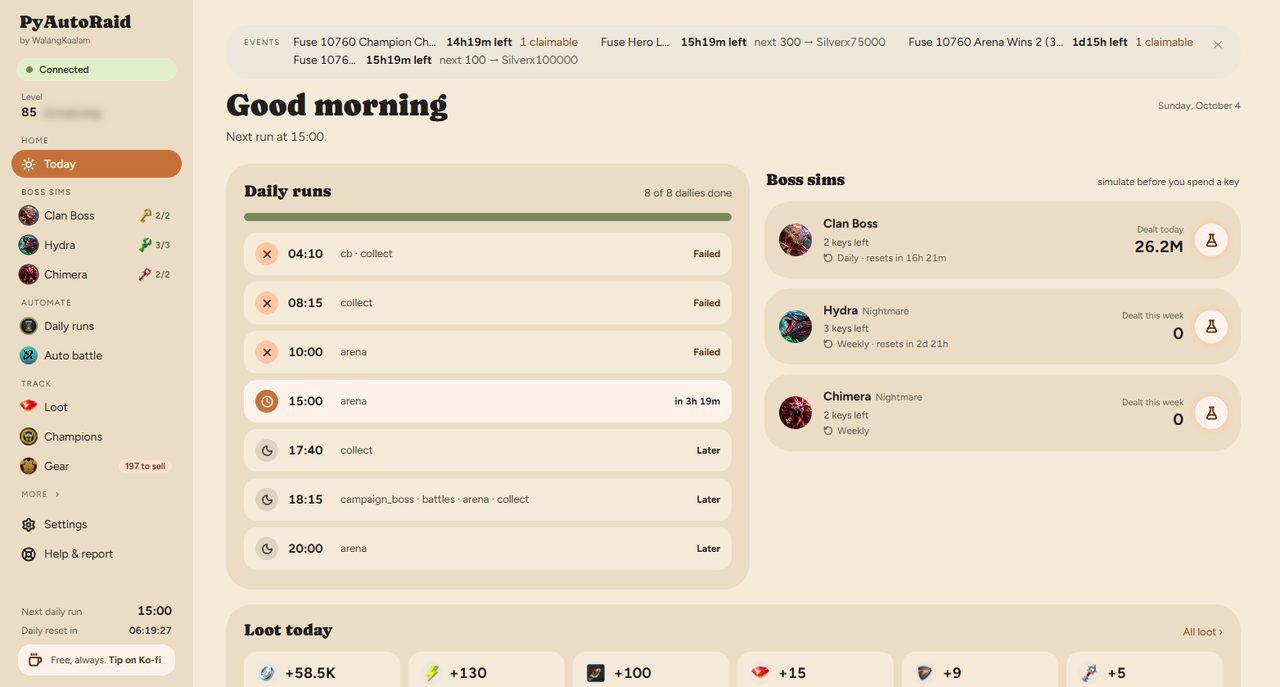
PyAutoRaid — the Today page
The one screen

Today

Every daily run with its result, each boss with keys left and time to reset, today's loot, and a Needs you list for the few things only you can do.

You open one page and know what is done, what is still owed and what is waiting on you — instead of checking five places in the game.

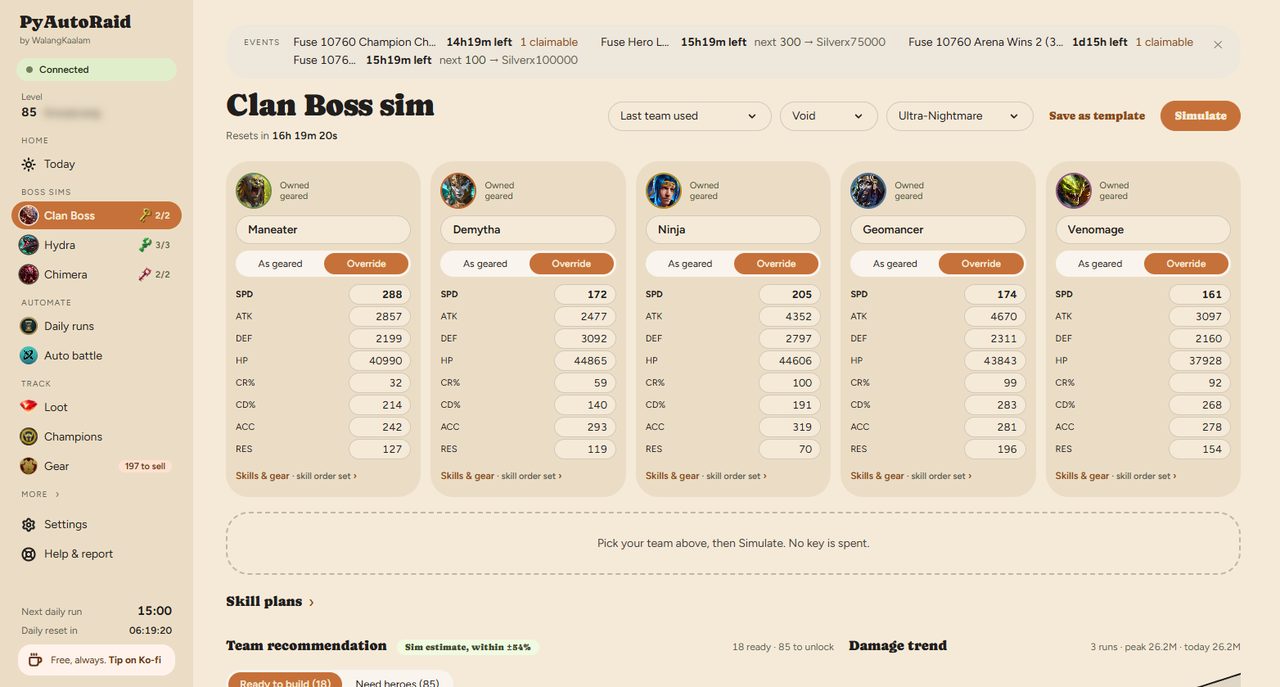
PyAutoRaid — the Clan Boss sim page
Marquee

Clan Boss sim

Pick five champions, choose affinity and difficulty, and play the fight out turn by turn on the game's own battle engine — with a team recommendation and a damage trend beside it.

A Clan Boss key is the scarcest thing you own. This spends zero of them, so a tune, a re-gear or a new champion can be proven before it costs you anything.

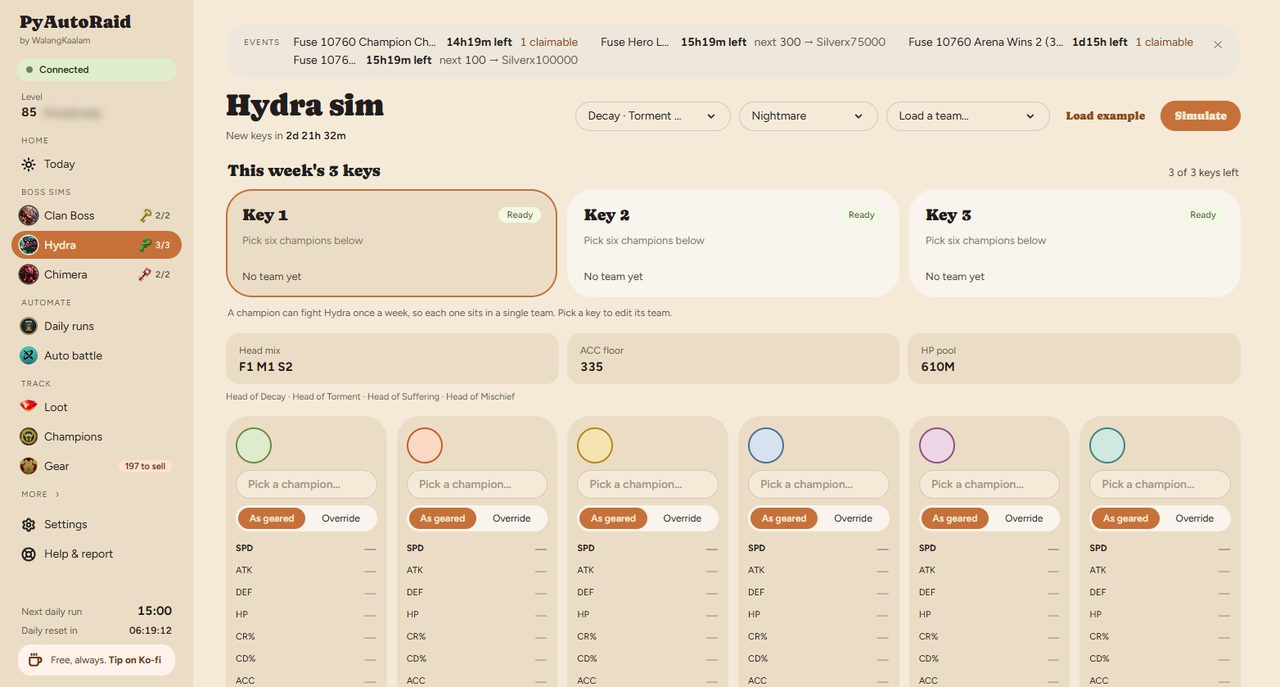
PyAutoRaid — the Hydra sim page
Boss sims

Hydra sim

Six champions against the Hydra's heads, per difficulty and layout, with the damage spread and the chest tier your run lands in.

Hydra keys refill weekly, so a wasted set is a week gone. You see which tier a team actually reaches before you commit.
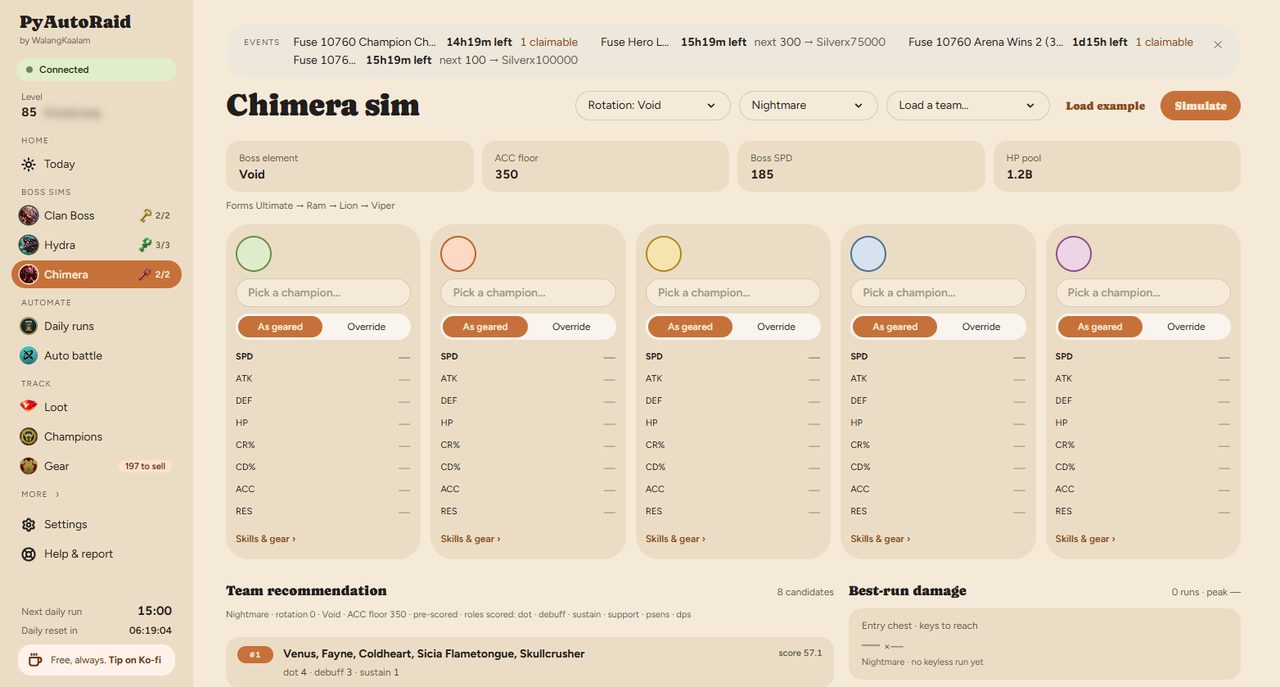
PyAutoRaid — the Chimera sim page
Boss sims

Chimera sim

The Chimera's phases laid out by form, with damage attributed to each form the boss morphs through.

Chimera punishes teams that cannot follow the morph. The phase strip shows where a run falls apart, which is the part a damage total hides.
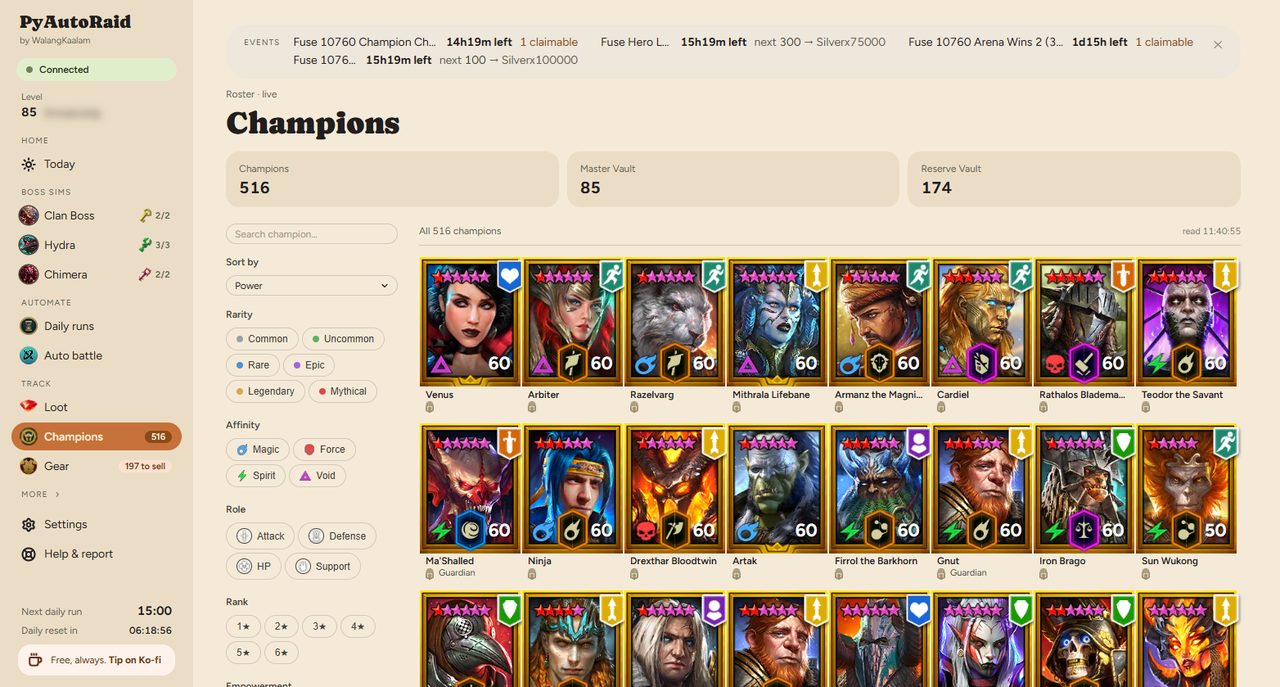
PyAutoRaid — the Champions page
Roster

Champions

Your whole roster drawn with the game's own card art — rarity frames, stars, affinity and level — filtered by rarity, affinity, role, rank, empowerment and faction.

Finding the one champion who fits a slot stops being a scroll through the game's list and becomes a filter.
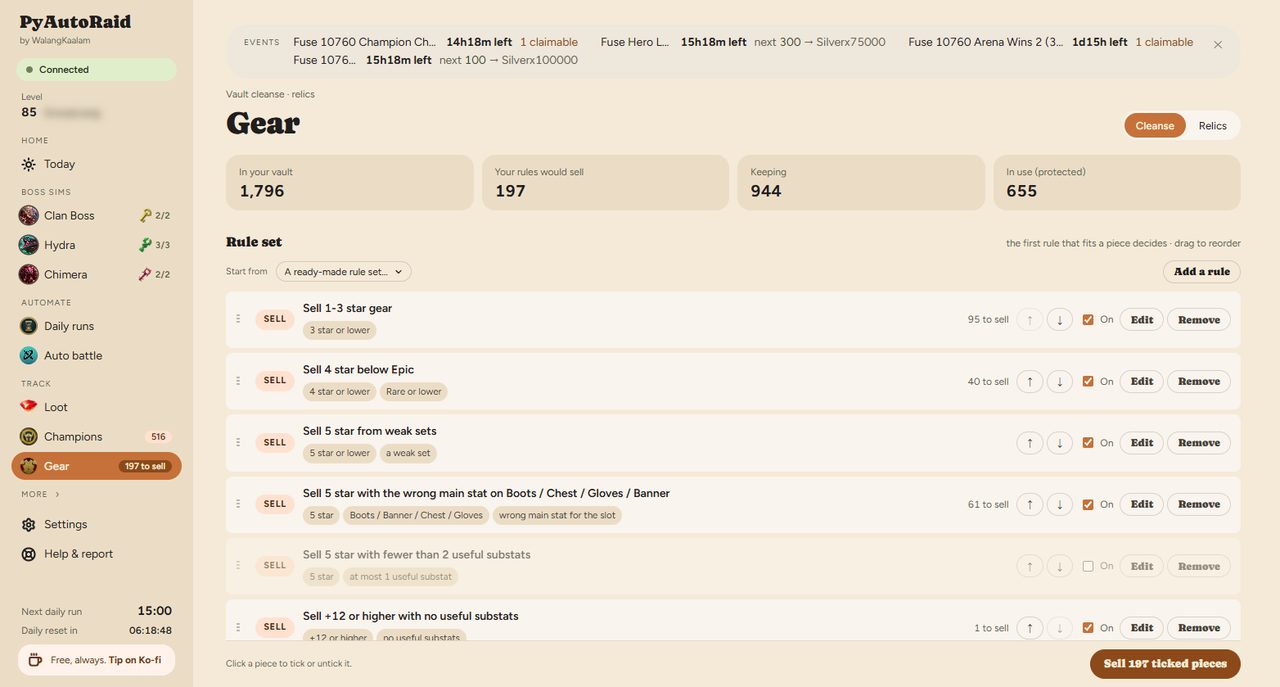
PyAutoRaid — the Gear page
Vault

Gear

The vault organised for cleansing, with a count of what your rules would sell and your Guardian relics under the game's own names.

Vault clutter is the quiet tax of playing. Rules you approve do the sorting, and nothing leaves without your say.
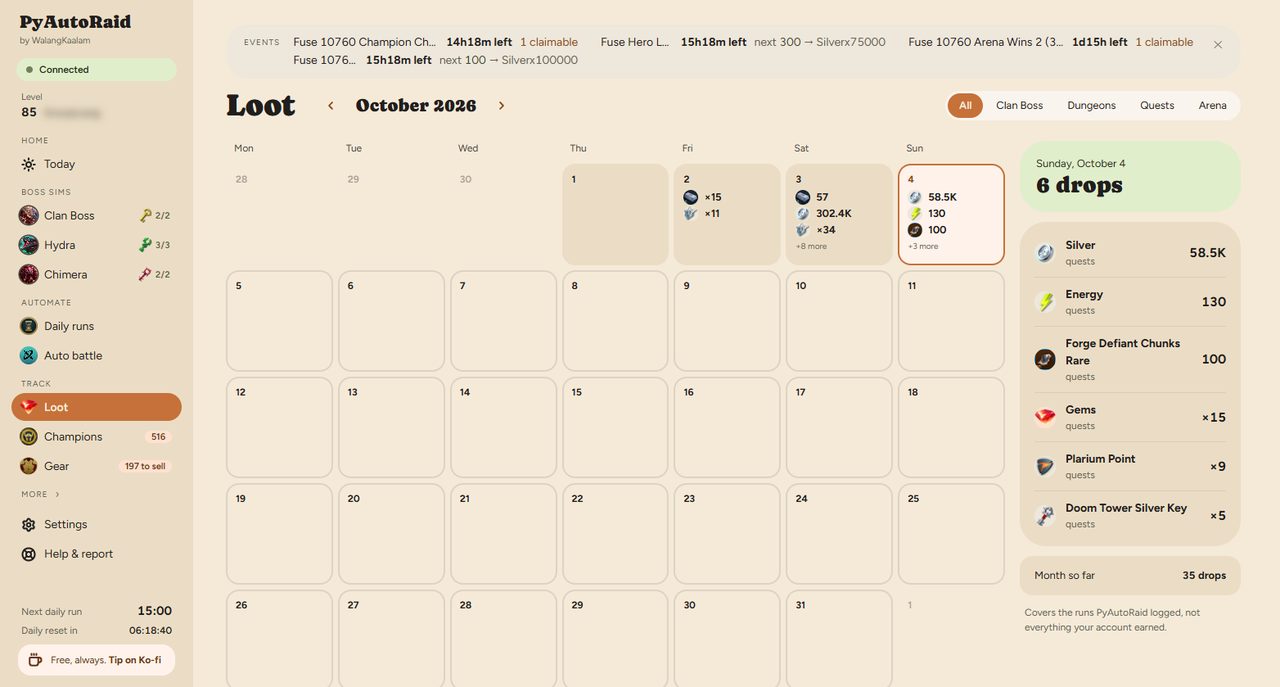
PyAutoRaid — the Loot page
Track

Loot

What you actually earned, by day and by source, with the game's own icons on every figure.

The game shows rewards once, as they land. Here they are still there tomorrow, so you can tell a good farm from a bad one.
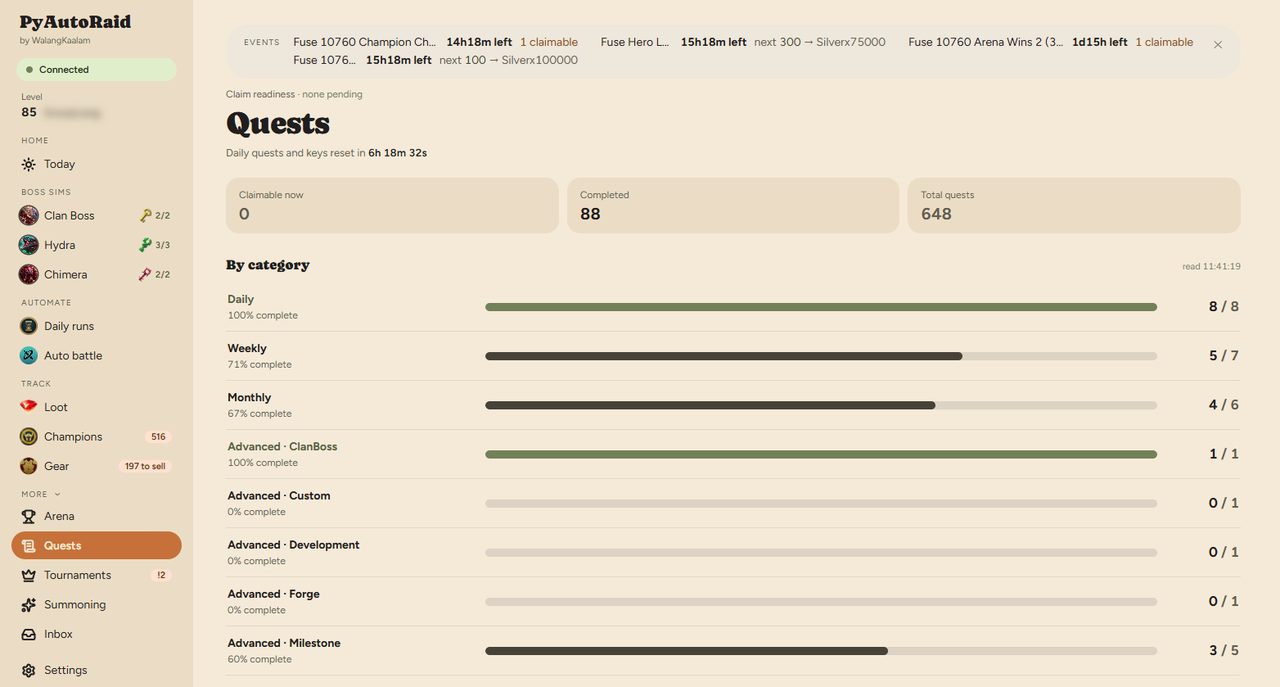
PyAutoRaid — the Quests page
Track

Quests

Every daily, weekly and event quest with how far along it is and whether its reward is sitting unclaimed.

Unclaimed rewards expire. This is the list that stops that happening.
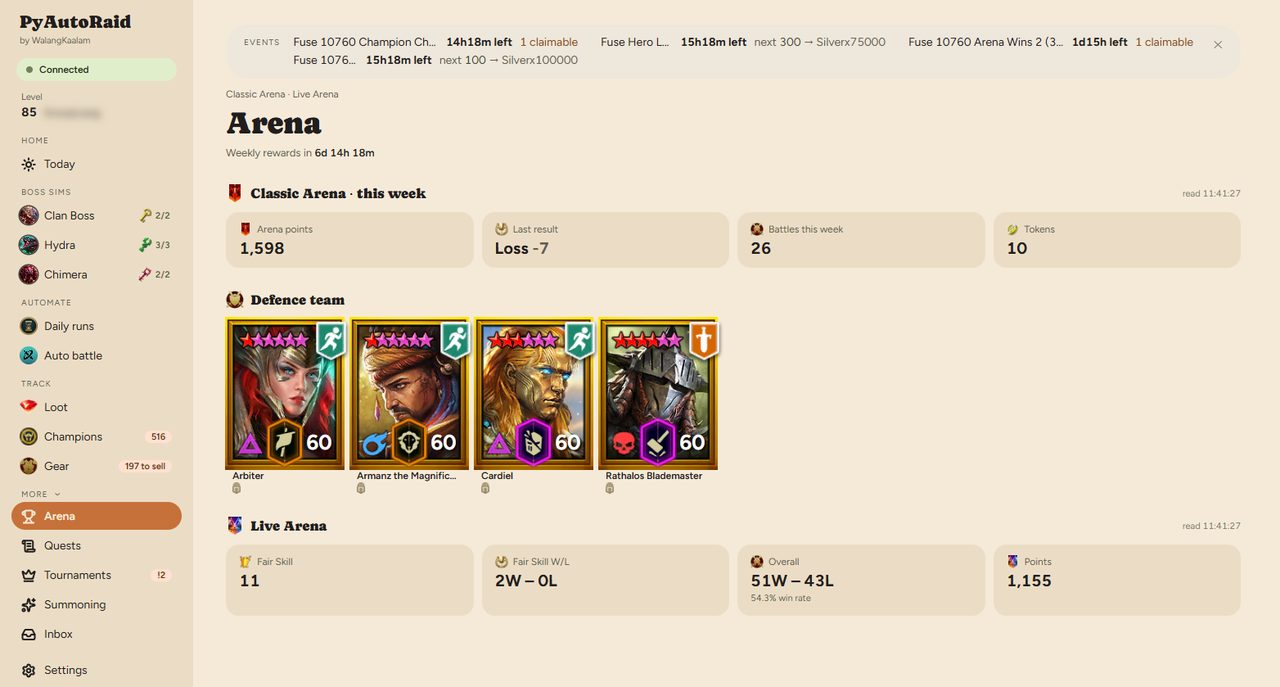
PyAutoRaid — the Arena page
Track

Arena

Classic and Live Arena side by side, with your defence team drawn as champion cards and each champion's flags written out in words.

Your defence is what other players actually meet. Seeing it as cards makes a weak slot obvious.
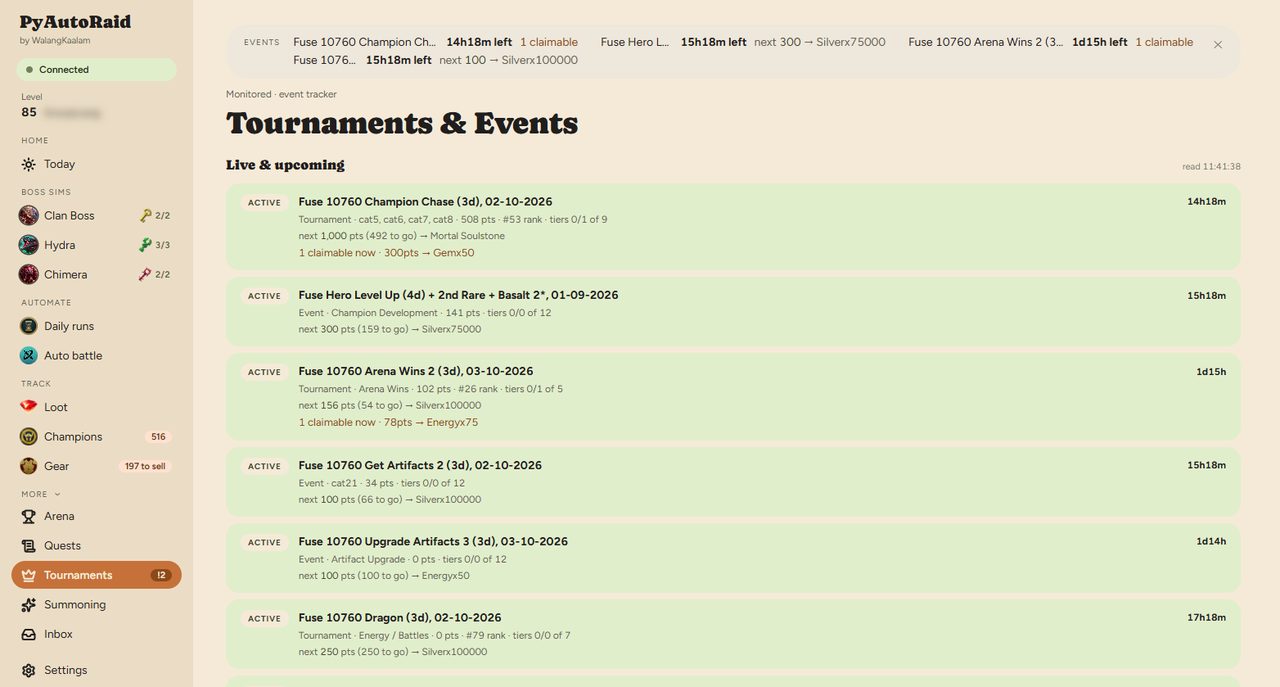
PyAutoRaid — the Events page
Track

Events

Fusions, tournaments and events being monitored — time remaining and the next tier you are short of.

Fusion tiers are lost to the clock, not to difficulty. Knowing you are 100 short with a day left is the whole game.
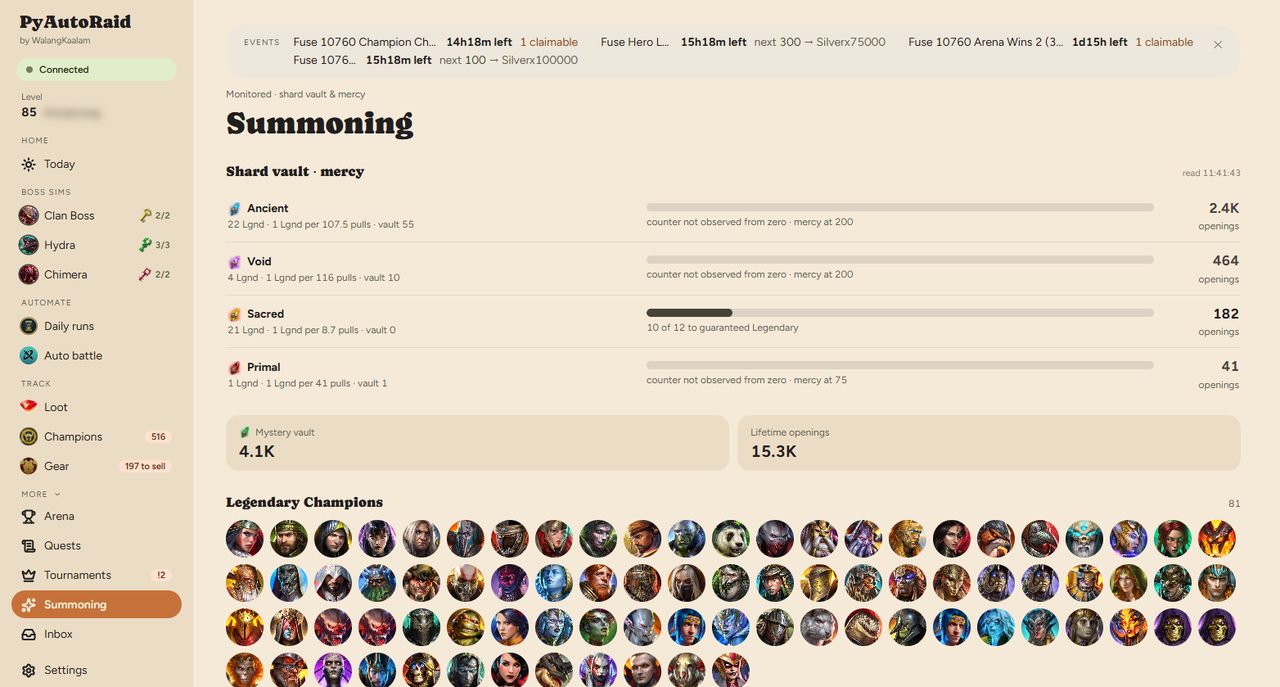
PyAutoRaid — the Summoning page
Track

Summoning

Your shard vault by type, with mercy progress counted per shard.

Mercy is the only certainty in summoning. Pulling without knowing where you stand is throwing shards away.
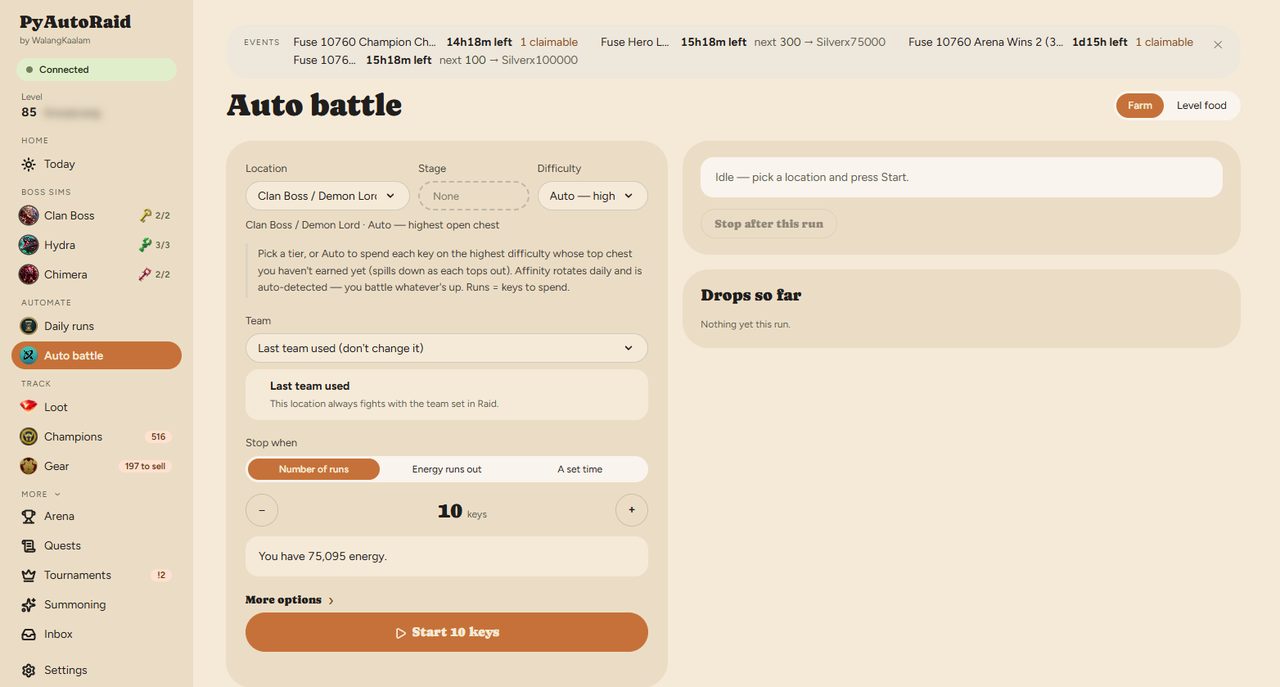
PyAutoRaid — the Auto battle page
Automate

Auto battle

Choose a team and a stage, set a time to stop, and let it run.

Farming is the part of Raid that is work rather than play. It runs through the mod's API — never by moving your mouse — and stops when you said.
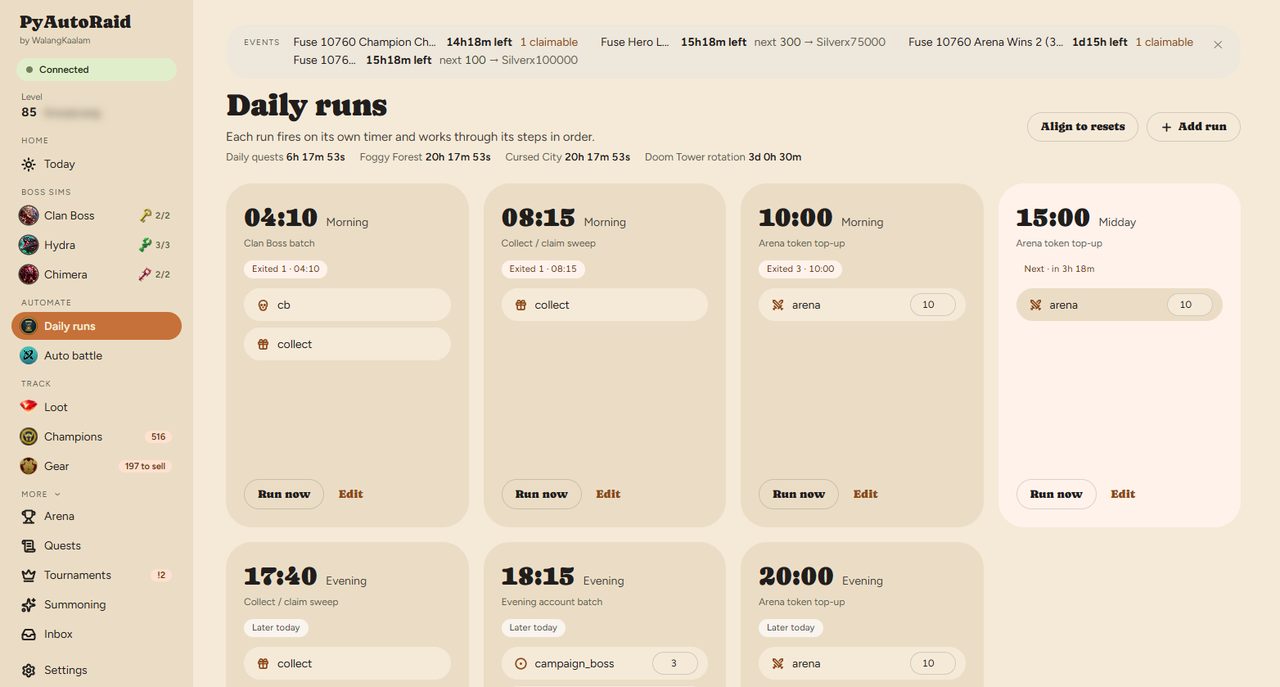
PyAutoRaid — the Daily runs page
Automate

Daily runs

Jobs on their own timers, each working through its steps in order, with the result of every past run kept.

Dailies get done whether or not you remember them, and when one fails you can see which step it was.
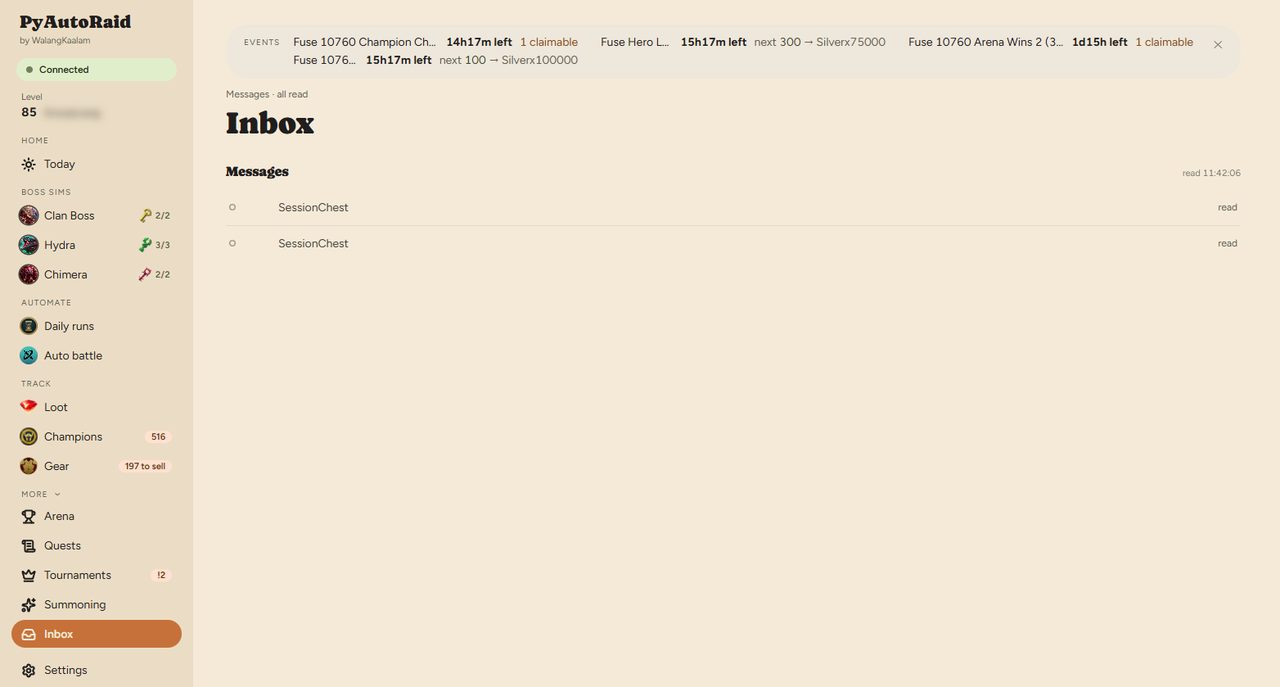
PyAutoRaid — the Messages page
More

Messages

What happened and what needs you, in plain sentences.

No log files, no ports, no stack traces. If something needs a decision it is written as a sentence with a button.
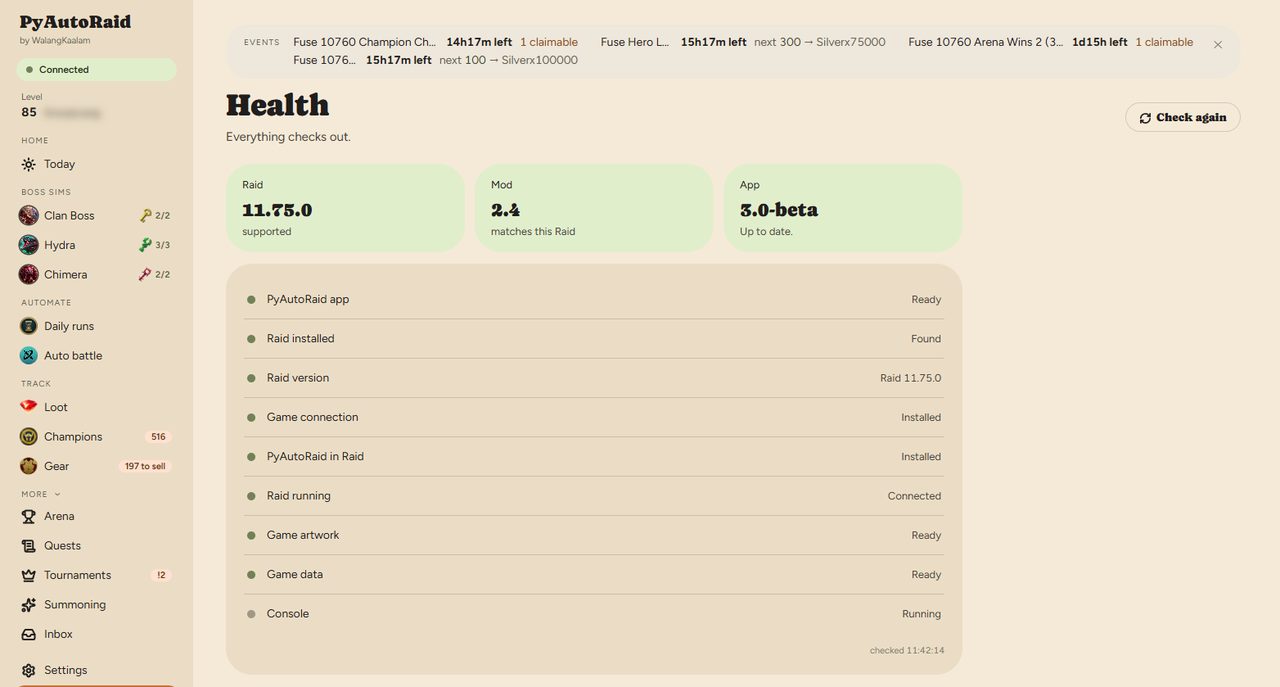
PyAutoRaid — the Health page
More

Health

Every part checked in order — the game, the mod, the connection, the data — each with a button that fixes it.

When something breaks you are not reading a log. The page names the broken part and offers the repair.
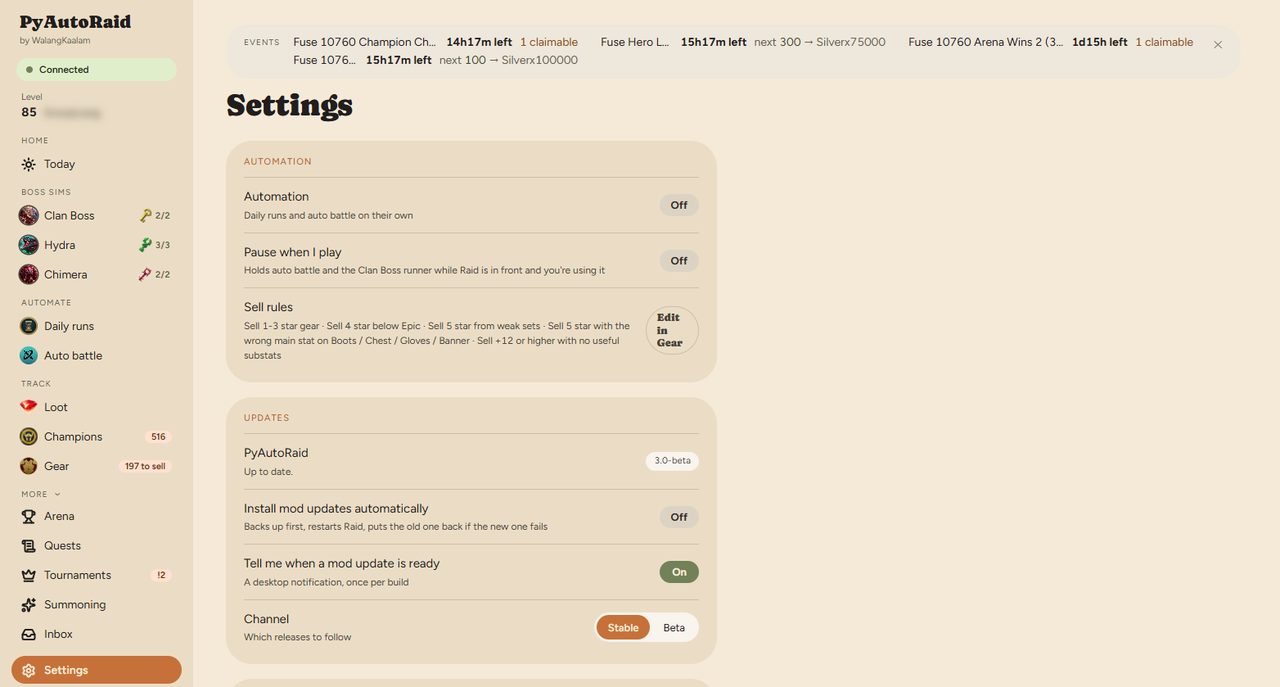
PyAutoRaid — the Settings page
More

Settings

Pause while you are playing, desktop notifications, automatic mod updates, release channel, and one button to send a problem report.

It stays out of your way: it can stand down the moment you sit down to play.
Free. Local. In beta.

PyAutoRaid is a free tool for the Raid community. Releases will land here and in the Discord — join to be first in line.